


SUMMARY
The Canaan Avalon Q is a Wi-Fi enabled, SHA-256 ASIC Bitcoin miner ideal for home users who value simplicity and quiet operation. It supports both solo and pool mining and offers three power modes: Eco, Standard, and Super. The Canaan Avalon Q is controlled through the Avalon Family mobile app and can be up and running in under 10 minutes.
If you’ve just received your Avalon Q and are looking to set it up, this guide walks you through the entire process step-by-step using your mobile phone, no PC required.
What’s Inside the Shipment Box?
The Canaan Avalon Q comes securely packaged in a double box for maximum safety during shipping.
Inside the shipment, you’ll find:
- The Canaan Avalon Q miner unit
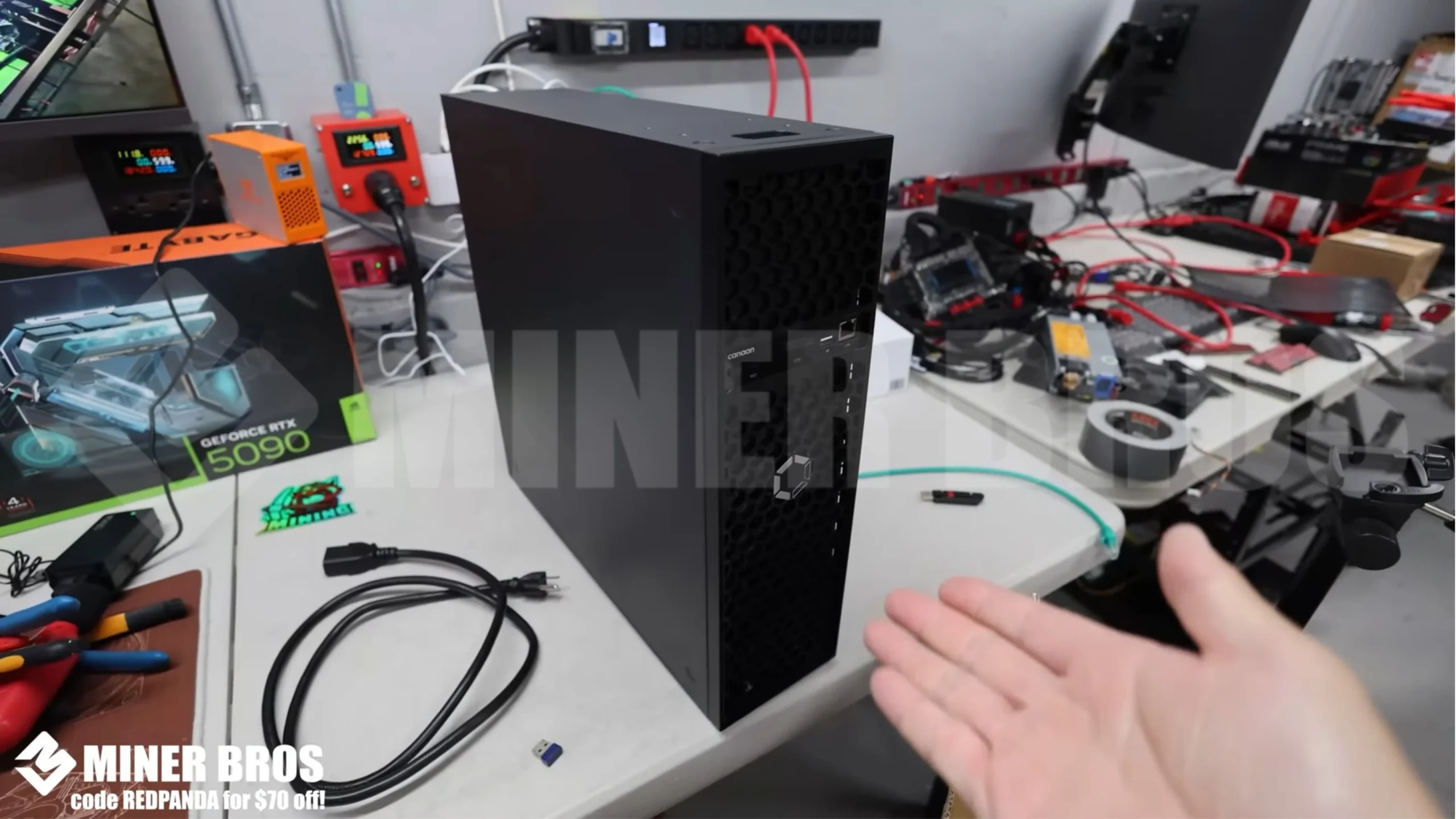
- A quick start guide

- A C19 to NEMA 5-15P power cable (for North America)

- A USB Wi-Fi dongle for wireless connectivity

- Be sure to place the unit on a flat, well-ventilated surface such as a basement floor or mining shelf.
Step-by-Step Instructions for Setting Up the Canaan Avalon Q
1. Preparing the ASIC
Before plugging in the Avalon Q, it’s critical to check your home’s power infrastructure:
- Eco Mode and Standard Mode work with a typical 15-amp 120V circuit. Super Mode draws over 1800W and needs a 20-amp 120V circuit.

- Using Super Mode on a 15A circuit may trip the breaker or damage your outlet. Ensure no other high-power devices share the same circuit when using Super Mode.
2. Configuring the ASIC
- Plug the Wi-Fi dongle into the USB port at the front of the Avalon Q.
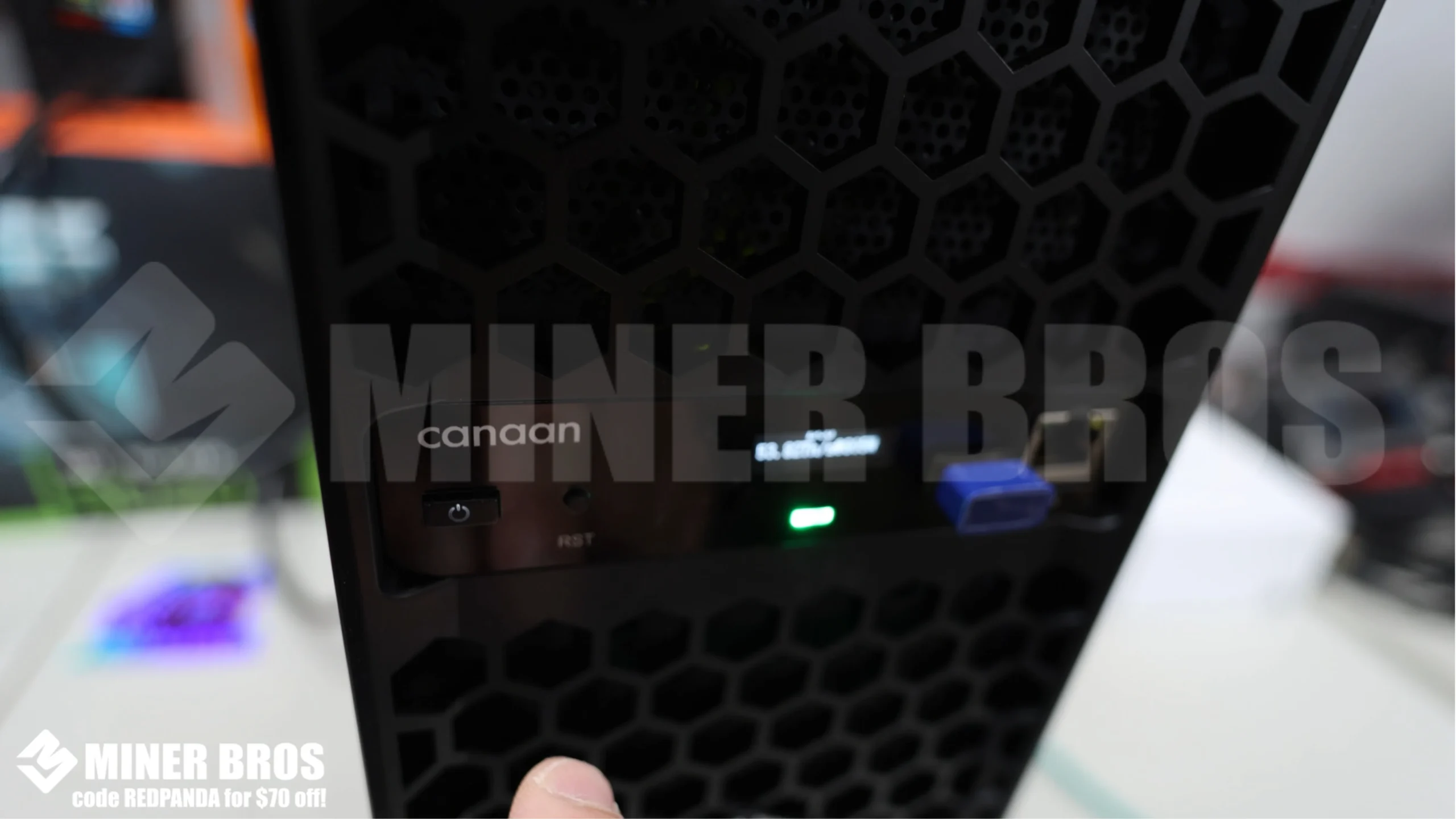
- Insert the C19 power cable into the power socket at the rear.

- Plug the other end into your wall outlet.

- Wait for the unit to boot up. LEDs will begin flashing.
3. Accessing the Avalon Q via the Mobile App
- Download the Avalon Family app from the App Store (iOS) or Google Play (Android).

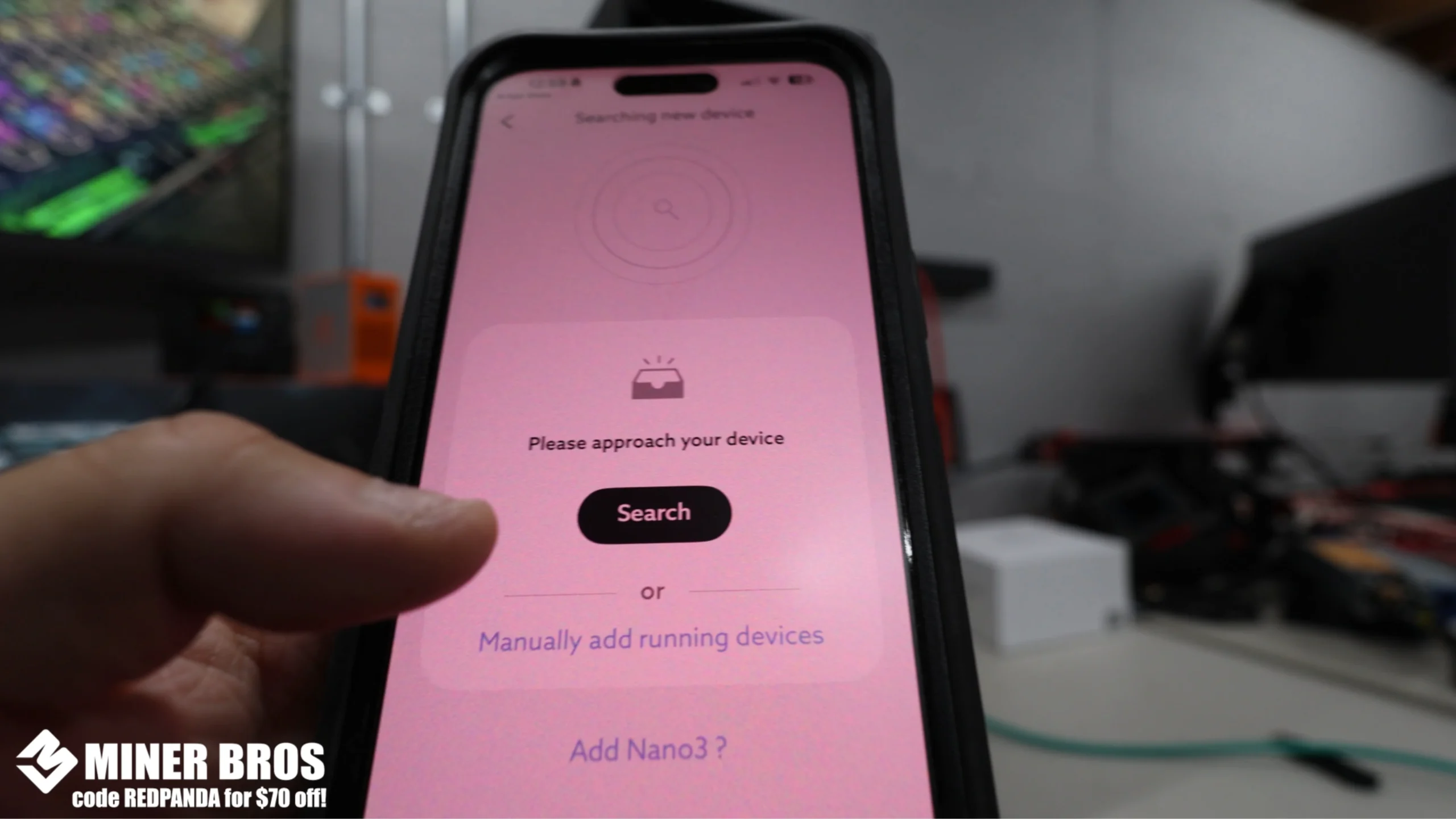
- Open the app, tap the menu icon, and select Add New Device.

- Tap “Search” to find the Canaan Avalon Q
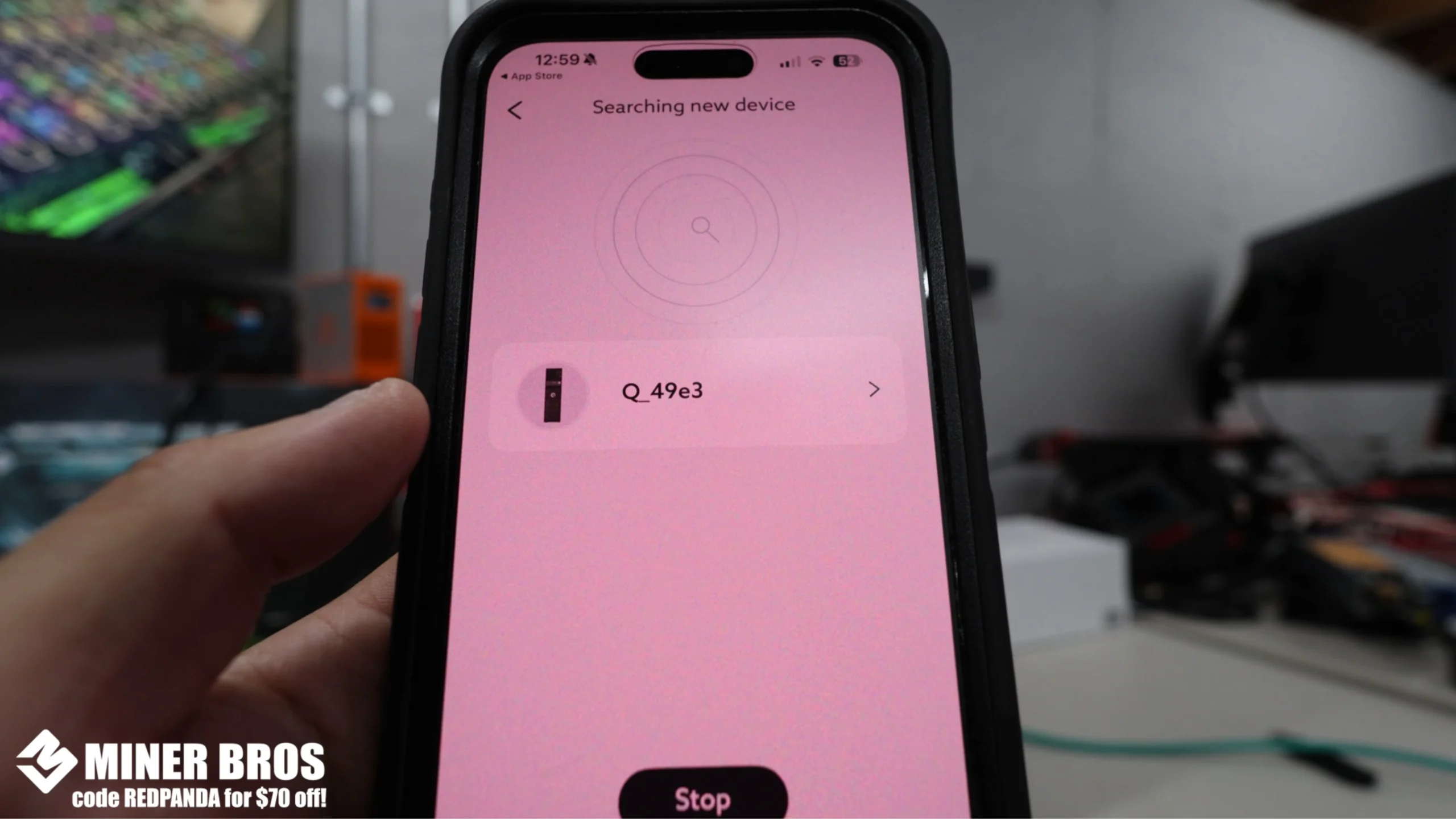
- The Canaan Avalon Q will appear. Tap to connect.

- Enter your Wi-Fi SSID and password and hit Save.

- The device will reboot and connect to your home network.

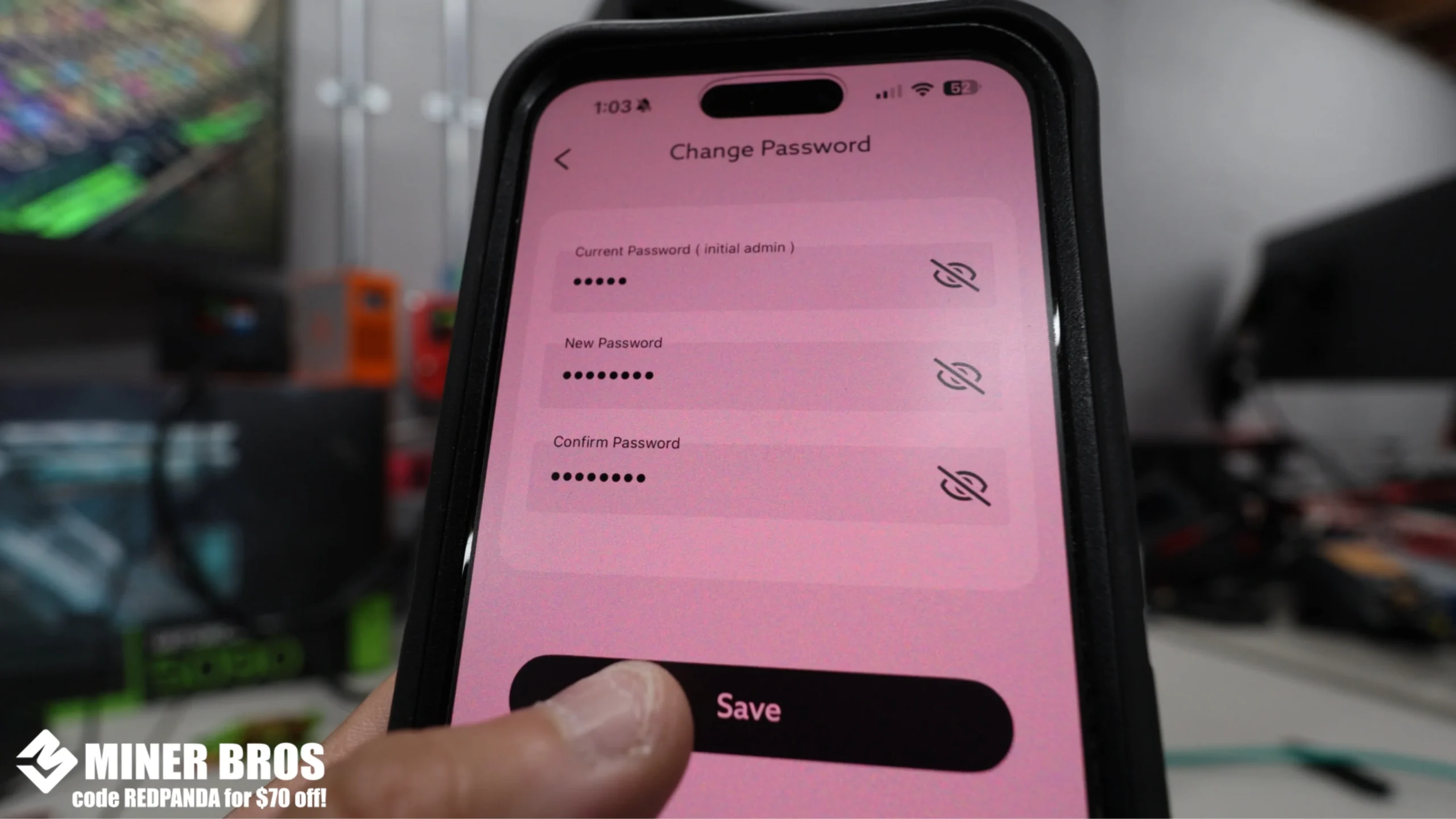
- Log in using the default password: admin. You’ll be prompted to create a new secure password.
4. Adding the Mining Pool
- Once connected, navigate to Settings and click Pool config.

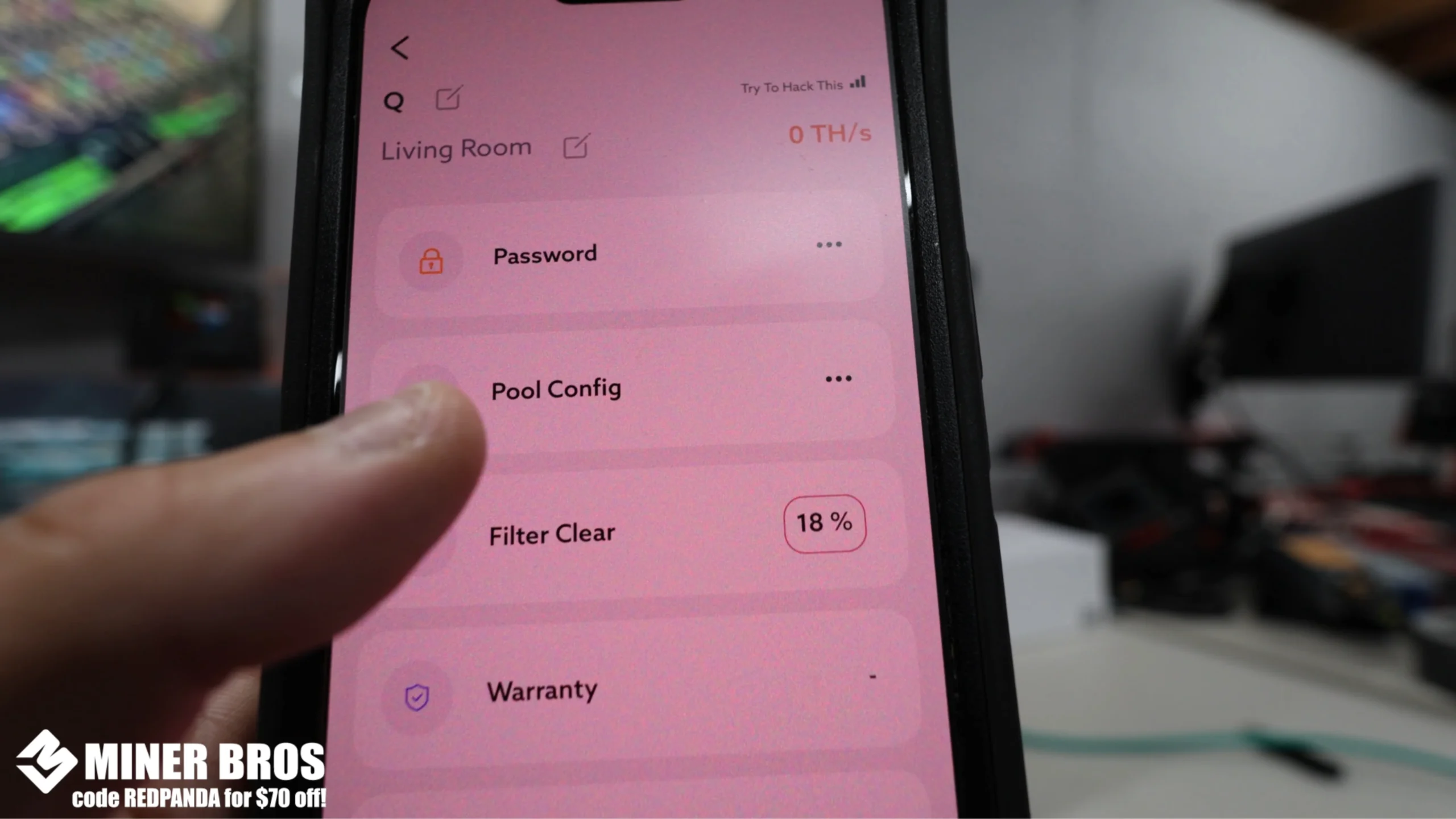
- Fill in your mining details as: Pool 1 solo.ckpool.org:3333, Worker [YourBitcoinWalletAddress].
- Canaan Avalon Q, Password x.
![Fill in your mining details as Pool 1 – solo.ckpool.org3333, Worker – [YourBitcoinWalletAddress].AvalonQ, Password – x.](https://www.cryptominerbros.com/wp-content/uploads/2025/07/Fill-in-your-mining-details-as-Pool-1-–-solo.ckpool.org3333-Worker-–-YourBitcoinWalletAddress.AvalonQ-Password-–-x-scaled.webp)
- Pool 2 (backup) – solo.ckpool.org:3333.

- Pool 3 (alternate) – btc.viabtc.io:3333.

- Solo Mode toggle should be ON if solo mining. For pool mining, turn it OFF.
- Tap Save, input your password, and the miner will reboot.

5. Start Mining
Once rebooted, the Canaan Avalon Q will start mining automatically.
- You can choose your power mode (Eco, Standard, or Super) in the app.
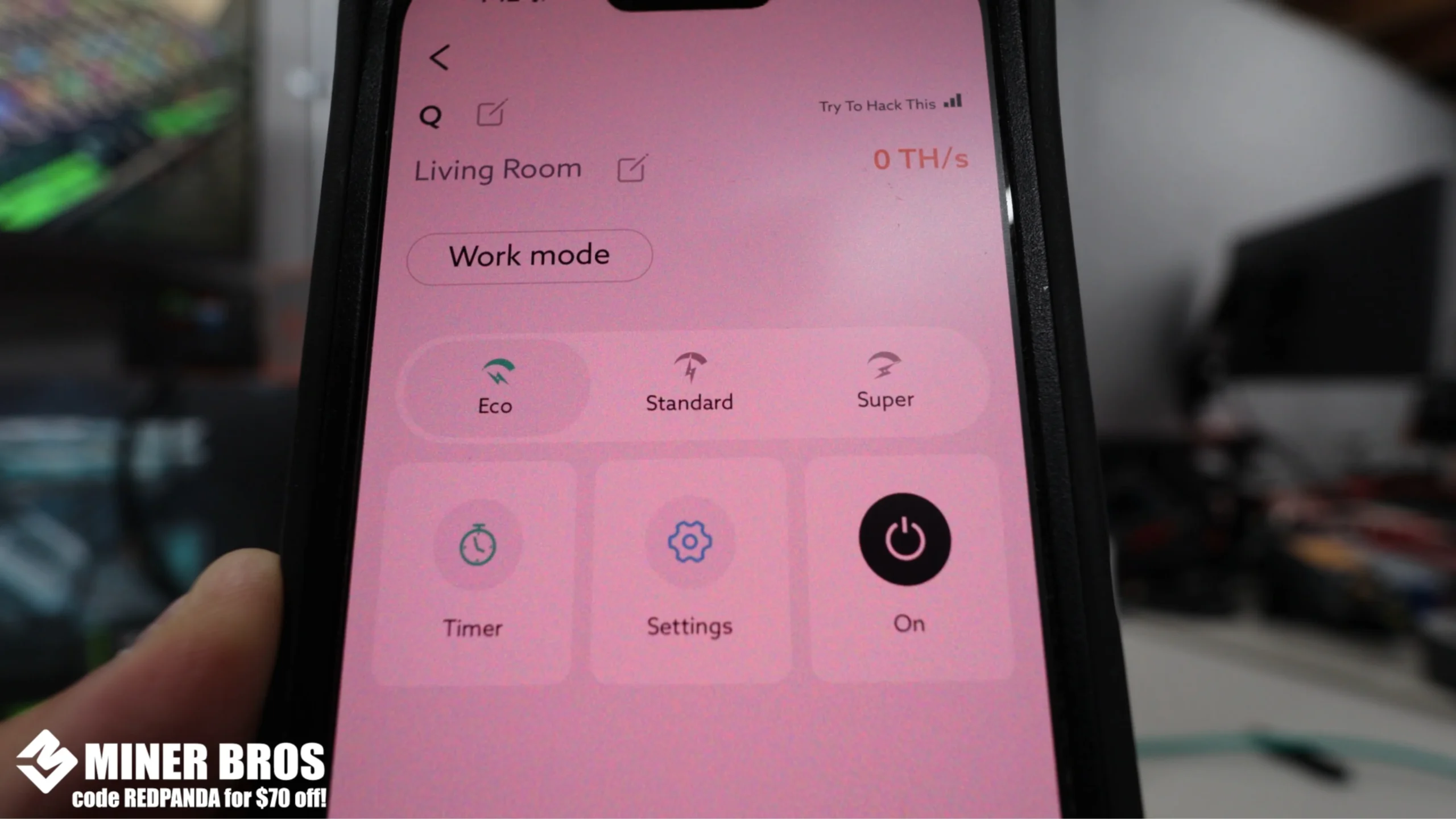
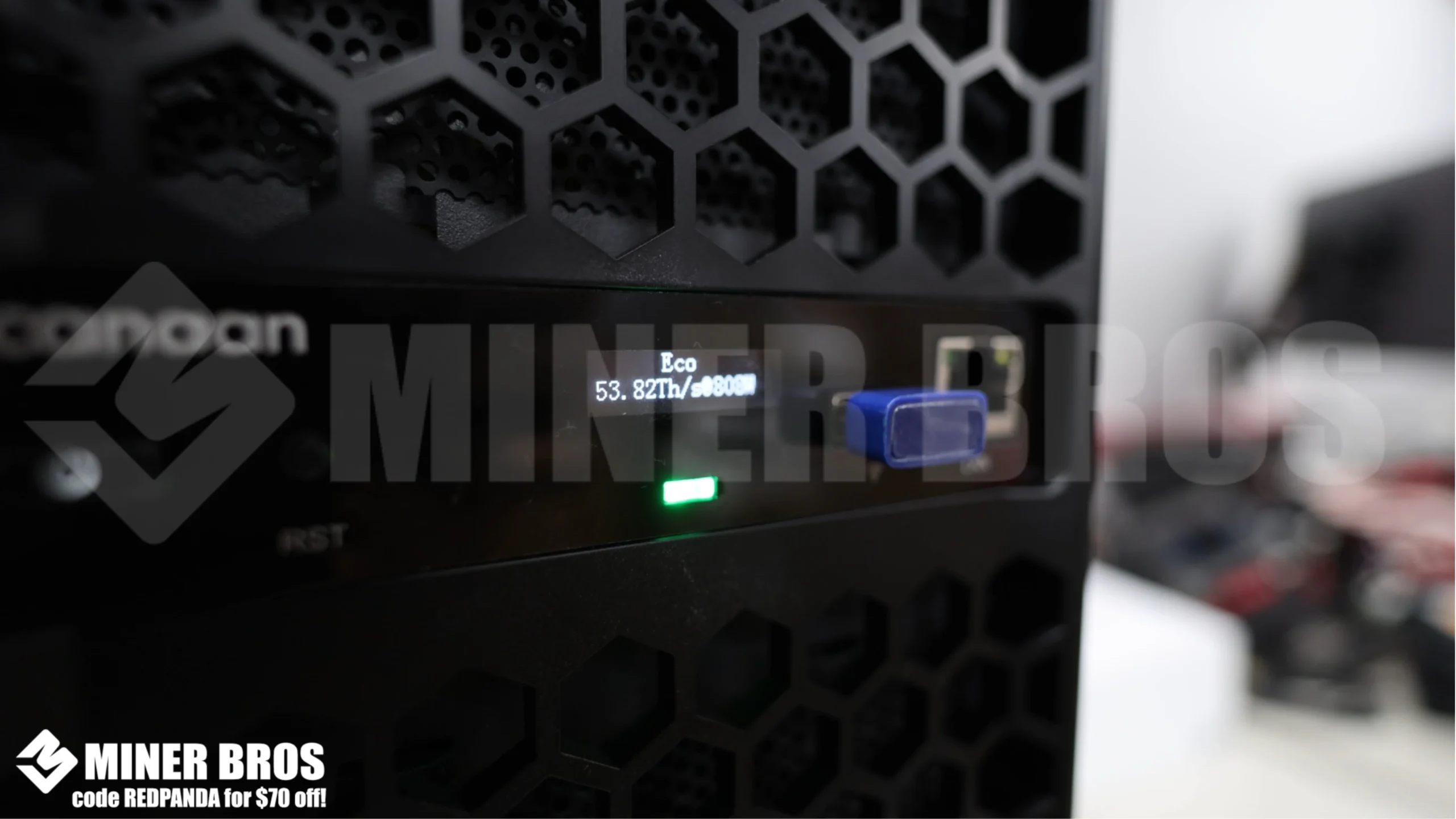
- Eco Mode runs around 750W and is suitable for 15A circuits.

- View your hashrate and power consumption directly in the app or on the unit’s screen.

- Filter cleaning is easy. Just pop off the side panel and slide out the intake filters.


- If moved to a new location or Wi-Fi network, you’ll need to factory reset the device using the rear reset button (hold for 5 seconds).
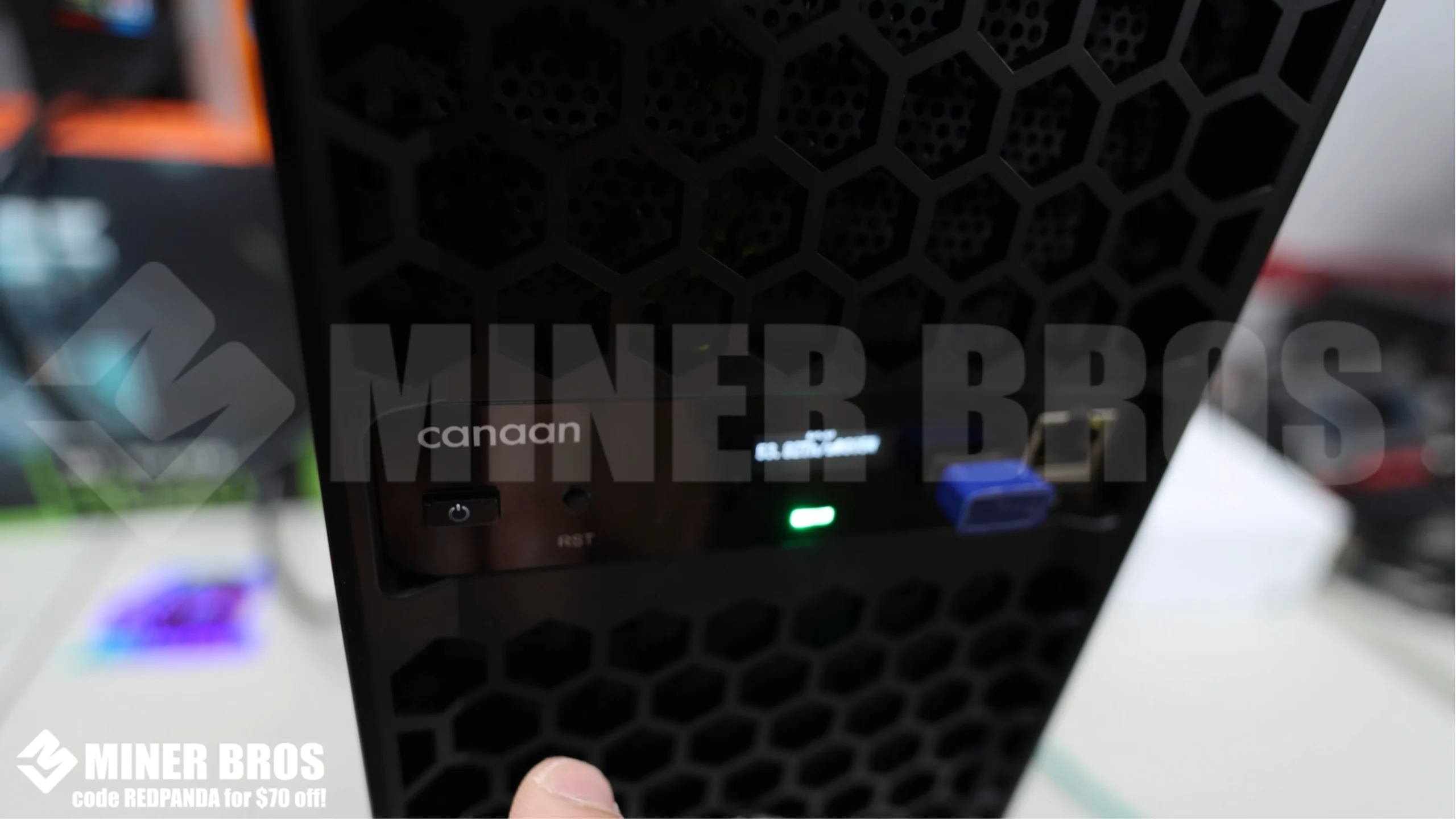
For the non-readers, we made a feature film!
Check out how to Setup Canaan Avalon Q
CONCLUSION
The Canaan Avalon Q is built for people who just want mining to be simple and stress-free. It’s quiet, compact, and perfect for home use, whether you’re mining solo or joining a pool. With its easy app-based setup, flexible power modes, and smart connectivity, you don’t need to be a tech expert to get started. If you’re looking for a reliable, beginner-friendly ASIC miner that just works out of the box, the Avalon Q is one of the best choices out there today.
Check out the latest Canaan Avalon Q Miner
FAQs ON HOW TO SETUP CANAAN AVALON Q
-
Can I use the Avalon Q with my regular wall outlet?
Yes, you can use Eco or Standard mode on a 15A circuit. Super mode needs a 20A circuit.
-
Do I need a computer to set it up?
No, you only need the Avalon Family app on your phone for full setup and control.
-
Can I solo mine Bitcoin with the Avalon Q?
Yes, simply enable Solo Mode in the app and point it to a solo mining pool like CKPool.
-
What happens if I move it to another house?
You’ll need to perform a factory reset and reconfigure the Wi-Fi using the app.
-
Is this miner noisy?
The Avalon Q is quieter than typical ASICs and is suitable for home use even in living areas.

Join our Newsletter
Get the week’s best cryptomining content in your inbox.

Han su
Han Su is a technical analyst at CryptoMinerBros, a leading provider of cryptocurrency mining hardware. He has over 5 years of experience in the cryptocurrency industry and is an expert in mining hardware, software, and profitability analysis.
Han is responsible for the technical analysis and research on ASIC Mining at Crypto Miner Bros. He also writes in-depth blogs on ASIC mining and cryptocurrency mining, and he has a deep understanding of the technology. His blogs are informative and engaging, and they have helped thousands of people learn about cryptocurrency mining.
He is always looking for new ways to educate people about cryptocurrency, and he is excited to see how the technology continues to develop in the years to come.
In spare time, Han enjoys hiking, camping, and spending time with his family. He is also an avid reader, and he loves to learn about new things.
Similar Blogs
ASIC Firmware & Software: How to Keep Your Miners Updated and Secure
Discover how to upgrade ASIC firmware safely, safeguard against security risks such as Antbleed vuln...
Advanced Cooling and Noise Management for Home ASIC Mining Rigs
Complete guide on cooling and noise reduction for home bitcoin mining. Learn liquid cooling, immersi...
Quantum Computing and Crypto Mining: Future Challenges and Opportunities
Full guide to quantum computing & crypto mining. Knowing blockchain quantum threats, post-quantum bl... © 2018- Miner Bros Limited. All rights reserved

 EN EN
EN EN  ES
ES